Email · Jordan Hale
Subject: logo??
“Sending again, ignore the last two.” Attached: logo-FINAL-v3-use-this.png
No version
For Freelance Web Designers & Micro-Studios Handling 2-5 Clients
See, on one page, what's missing, who owns it, when it's due, and which version is approved.
01 — Before and after
Same client. Same logo. One week lives in four apps. The other lives on a page you can open before the call.
Email, a drive folder, and a chat. No owner. No date. No version.
Email · Jordan Hale
Subject: logo??
“Sending again, ignore the last two.” Attached: logo-FINAL-v3-use-this.png
No version
Drive
/Brand/Old/FINAL_final_v7/logo.png
Updated 11 days ago. Owner unknown.
No owner
Chat
Jordan: about photo tomorrow.
You: which headline did you approve?
Jordan: the second one, I think.
Not logged
Northwind Ceramics. Missing rows stay amber until a file is actually there. Approved rows name a person and a version.
Home · Headline
MissingJordan Hale · due Fri 14 Nov · no version
Home · Hero photograph
MissingJordan Hale · due Fri 14 Nov · no version
About · Studio story
In reviewYou · v2 in the page · not approved
Brand · Primary logo, SVG
ApprovedJordan Hale · v3 · 28 Feb
02 — The kit
Duplicate a page, send one link, and stop reconstructing the brief from a thread.
One-click duplicate client page with self-contained inline databases. The next client does not inherit the last client's files.
Home, About, Services, Case Studies, and Contact. Each row asks for the item, the owner, the due date, and the approved version.
Same fields, for the client who will finish a document and never open Notion. Make one copy per client.
A kickoff note that sends the page, a nudge that names only the missing rows, and a last note before you design around the gaps.
Which link to send, which toggle stays off, and how one client never sees another client's files.
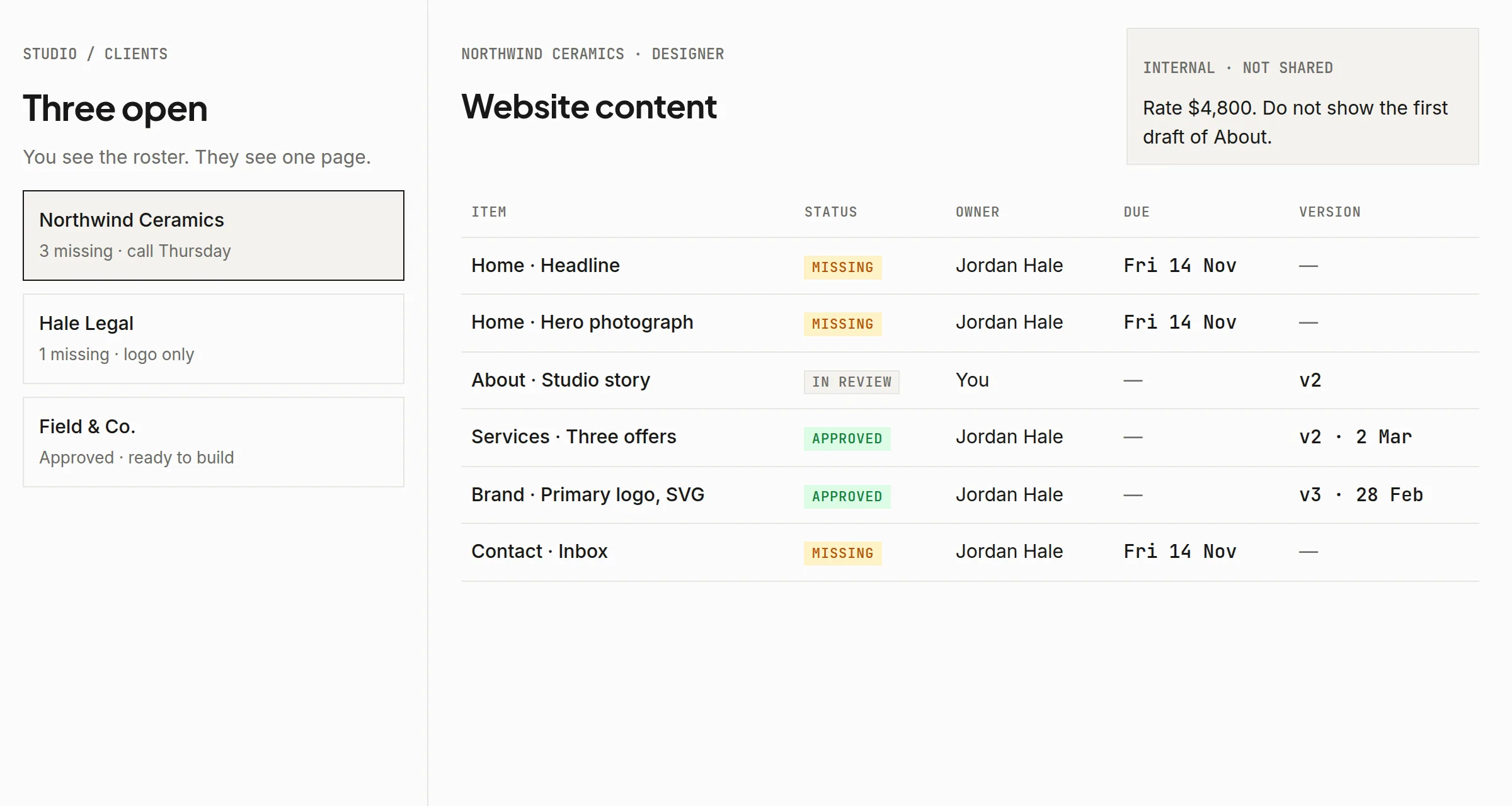
Your roster. Missing counts per client, and notes the client never sees.
Select the preview to enlarge.
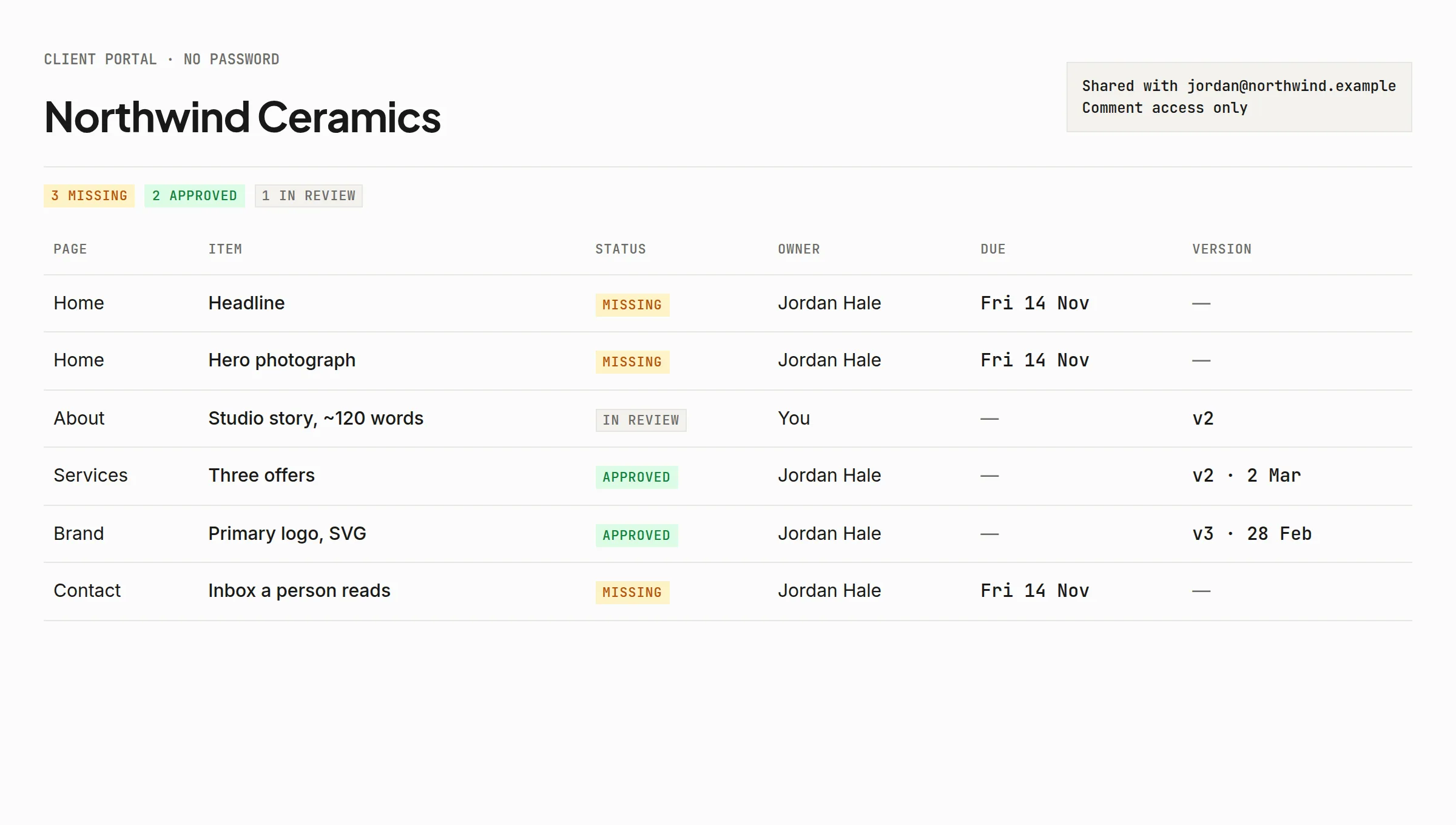
Their page. Status, owner, due date, and the version that was approved.
Select the preview to enlarge.
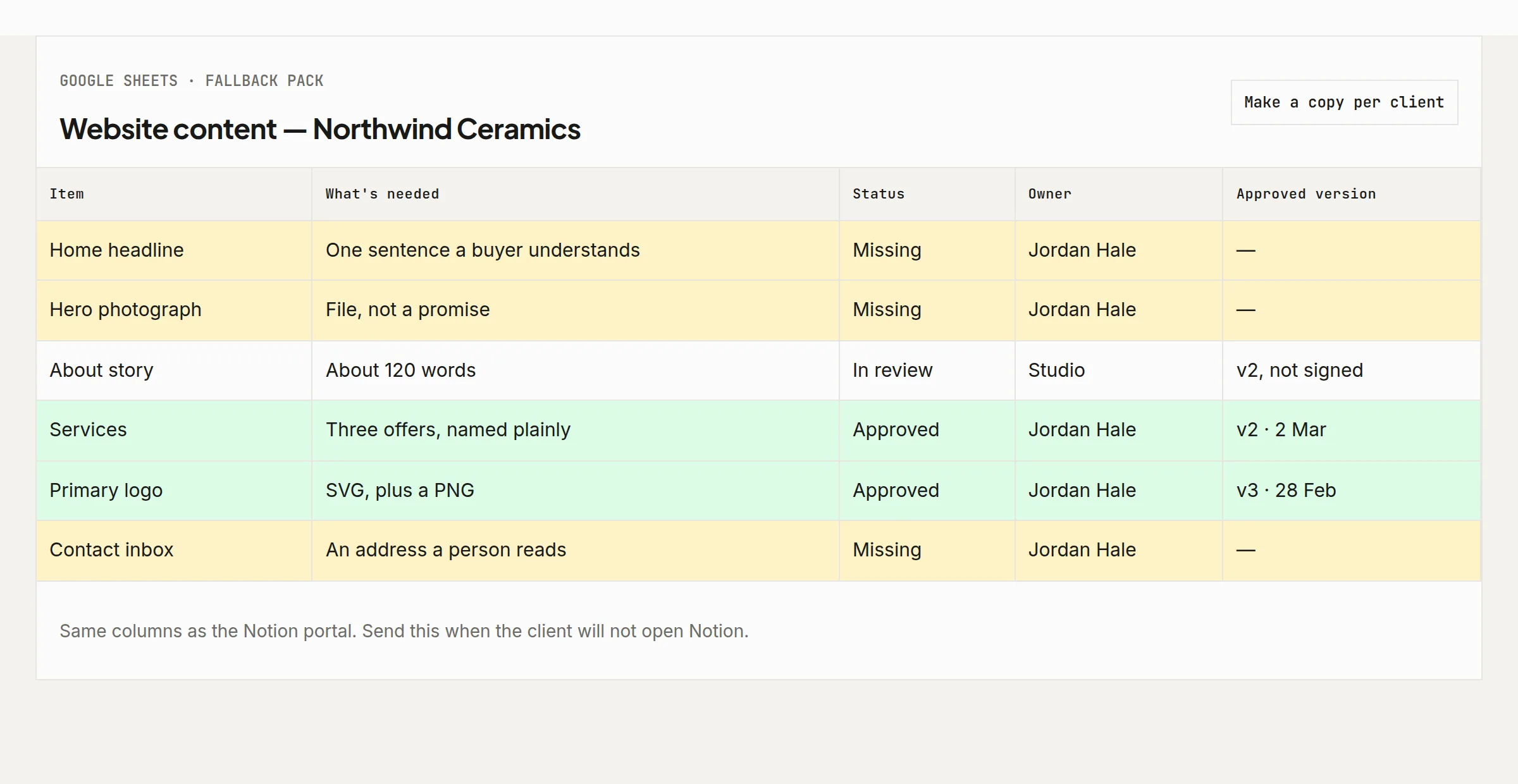
The same fields in a Sheet, for the client who will not open Notion.
Select the preview to enlarge.
03 — Scope and security
It collects the raw material for a website. It does not try to run your studio.
04 — Pricing
The first 5 spots are $19. After that, the kit is $29. Pay once. Use it on every client this studio takes.
Beta Access: 5 spots at $19 (then $29)
Single-studio, multi-client license. One freelance practice or one micro-studio may use the kit with every client it runs. You may not resell it, republish the files, or give the template to another studio. The full wording is in the terms.
Beta purchases include a 14-day, no-questions-asked refund. The refund steps are on the policy page. Refund policy.
05 — Questions
Send the Google Docs and Sheets pack. It asks for the same items, with the same owner and the same approval column. Plenty of clients will finish a document and never open Notion. The portal is the default for you, not a requirement you put on them.
The kit is meant for a studio with a few clients, not a large team. Notion’s free plan limits blocks, guests, and file size, and those numbers change. Count your clients against the current free-plan page before you buy, and again before you promise anyone a seat.
Yes. You share a duplicated client page, not your workspace. Rates, kickoff notes, and the draft you would not say out loud stay on pages you never share. The safety guide names the Share setting that would let a guest see every page you own, and tells you to leave it off.
Beta purchases include a 14-day, no-questions-asked refund. The refund steps are on the policy page. Refund policy.
The other kit
Client Paperwork Kit for Web Designers is eight Google Docs: proposal, scope, agreement, kickoff, change requests, launch, and handover. This kit still collects the copy, the assets, and the approval. $19 founding, then $29.