
Contact forms retry. A visitor double-clicks. Webflow, a WordPress plugin, or the webhook tool posts twice because the first response was slow. If every post becomes a new row, you get two Slack messages, two thank-you drafts, and a client who thinks you have two leads named Rowan.
The fix is to look before you append. Same person, inside a window you chose, updates the row you already have.
What you compare
Normalize the email: trim it, lowercase it, and do that on the way in and on the way you read the sheet. Rowan@Harbor-Rye.example and rowan@harbor-rye.example are the same lead. If you only lowercase one side, you will file a duplicate and feel proud of the dedupe.
Also store a submission id when the form tool sends one. Names you will actually see include submission_id, response_id, and entry_id. A Meta lead ad has its own lead id. If that id matches a row inside the window, it is the same submission even when the email field was edited between retries. If the tool sends no id, email is enough.
Do not use a bare id from a random JSON body. It might be a page id or a form id, and you will merge strangers.
The window
Count from the first time you saw the lead, the received time, not from the last update. If you slide the window forward on every retry, a person who submits every twenty minutes stays one row forever and a real second project never appears.
Thirty minutes is a reasonable default for a webhook retry. Twenty-four hours is a reasonable default for a simple form template where double submits happen across a coffee break. Zero means you want every post as a new row. Write the number down. "We dedupe" without a window is not a rule.
Spam traps and honeypot fills should not merge into a real lead. Store them as spam if you store them at all, and do not email anyone about them.
What an update changes
Increase a submissions count. If the old row has no count, treat it as one and then add one. Set last seen to now. Append one line to notes: the time, the word repeat, and a short slice of the new message. Do not wipe the original message. The first thing they wrote is the one you replied to.
If the first row was missing a phone and the retry has one, you can fill the blank. Do not overwrite a phone you already stored. If a submission id arrives on the retry and the row did not have one, store it. Do not replace an id you already trust.
Leave the status alone. A lead that was new, or already contacted, should not become "duplicate" as a status on the only row you have. Duplicate-as-status made sense when you appended a second row. If you update in place, the status is still the real lead. The note shows the repeat.
What you skip
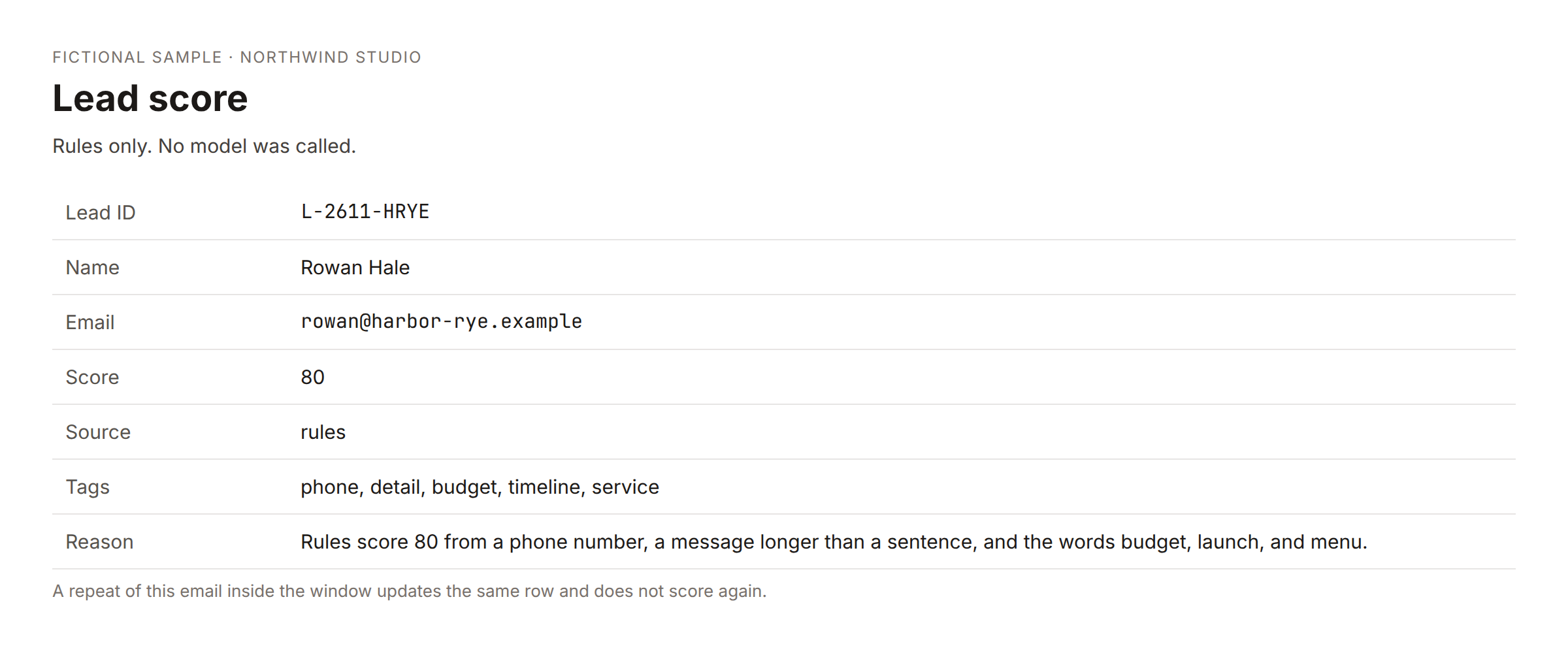
Do not Slack again. Do not draft another thank-you. Do not route the lead to a teammate again. Do not score it again. The first score stays. A second score on a repeat message will move a number the client never sees and will make your report twitch.
The thank-you is a draft until you send it, in the small template. In a fuller router the thank-you may already be a real transactional mail on the first submit. Either way, the second submit should not send it again.
Test URL and production URL
Deduping will not save you if the form points at the test webhook. The test URL listens while you have clicked execute in the editor. The production URL, /webhook/... on your real host, listens when the workflow is active. A form that worked once in a demo and then went quiet is often still on the test URL. There will be no execution to dedupe.
When you do have an execution, a red run is usually a missing email key. Open the body. Map email to the key you see. Nested data or payload, and a fields array of name and value, are normal. A file upload with an empty body means the text fields did not arrive as JSON. Fix that before you worry about duplicates.
A green run with no Slack message is a successful dedupe. Check submissions and last seen on the original row. If those did not move, you updated nothing and you should read the node that was supposed to write.
Sheet columns
You need the email, the received time, the submission id, the submissions count, last seen, and notes. Add them at the end of a sheet that already has leads. Do not rename the columns the rest of the workflow already uses. Old rows without a count still work if the update treats a blank count as one.
The free template matches the update on received time, which is why that value has to stay unique and unchanged. The studio router matches on a lead id. Either is fine. Matching on email alone will hit every past row for that person if the tool updates every match. Do not do that.
A rehearsal that takes ten minutes
Create a sheet with one fake row from a POST you send yourself: name, email, a sentence, and if you can, a submission id. Confirm Slack and one draft. POST the same body again. The count should be 2, last seen should move, notes should gain a line, and Slack should stay quiet. Change one letter of the email's case and POST again. If you get a third row, the compare is not normalizing. Fix that before you point a real form at it.
Then wait out the window, or set the window to one minute, and POST again. That one should be a new row. If it updates the old row, the window is sliding or it is longer than you think.
POST with an empty email. You want a red execution, not a blank row. POST a file and no text fields. You want to see an empty body and a binary file, and you want to fix the form plugin, not the dedupe.
Write down the production URL you gave the form. If it contains webhook-test, change it before you leave the editor.
Two products, one idea
The free template is one webhook, a sheet, Slack, and a thank-you draft. Same email or same submission id inside a day updates the row and stays quiet. Set the hours to zero if you are debugging and you want to see every post.
The lead router is the same idea on the client's site, plus routing, an optional score on the first submit only, and a place for Meta lead ads to land in the same sheet. The score does not run on the repeat. That is the whole consistency rule: first submit is a lead, second submit is a note.
Community version
Form webhooks were creating two rows because the plugin retried. I now normalize the email to lowercase and trim it, and I store the submission id when the tool sends one.
Inside a window counted from the first received time, a match updates the row: submissions plus one, last seen now, one line appended to notes. I do not Slack, I do not draft a second thank-you, and I do not score again. The first score stays. Status stays "new" or "contacted." The repeat is a note, not a second lead.
The window does not slide. Thirty minutes covers a retry. A day covers a double click after lunch. Zero stores everything, which I only use while testing.
If there is no execution, the form is probably still on the test URL. A green run and a quiet Slack is the dedupe working. I check the count on the original row before I trust it.
I rehearsed with three posts: the first creates the row, the second only bumps the count, and a post after the window creates a new row. Case differences in the email should not create a new person. An empty email should fail loudly. I would rather see a red execution than a blank row named lead.