
The awkward week is the one after the site looks finished and before the last invoice is paid. The client can already click through the preview. They want the fonts, the Figma leftovers, the form exports, and the login to the host. You want the last payment before those files leave your Drive. If that rule lives only in your head, you will break it on a Friday when someone is kind on the phone.
Write the rule down before you need it. Then make the handover email wait for the rule.
Decide what "final" means
A two-step job is usually a deposit and a final. A three-step job might be a deposit, a milestone when the design is approved, and a final at launch. The last slice is the one that should unlock original files. The earlier slices unlock the work, not the archive.
Put the split on the project before you start, in words the client has already seen on the proposal. "50/50" and "40/30/30" are enough. A single number such as "3" can mean three equal parts, with the last part taking whatever rounding is left so the parts still add to the project total. What matters is that both of you can point at the same last row.
If the project total is missing, do not invent an amount on the day you launch. Stop and ask. An invoice for zero is not a gate. It is a mess.
Two different things the client can have
The preview is the site they can look at. It might be a staging URL, a passworded page, or the live site with the training still unfinished. The originals are the folder of working files: exports, licenses, the latest backup, the notes about which plugin is paid.
Those are not the same delivery. A client can use the preview while the final invoice is open. They should not receive the originals folder until that invoice is paid. Say that in the proposal in one sentence, then repeat it in the preview email so it does not feel like a surprise.
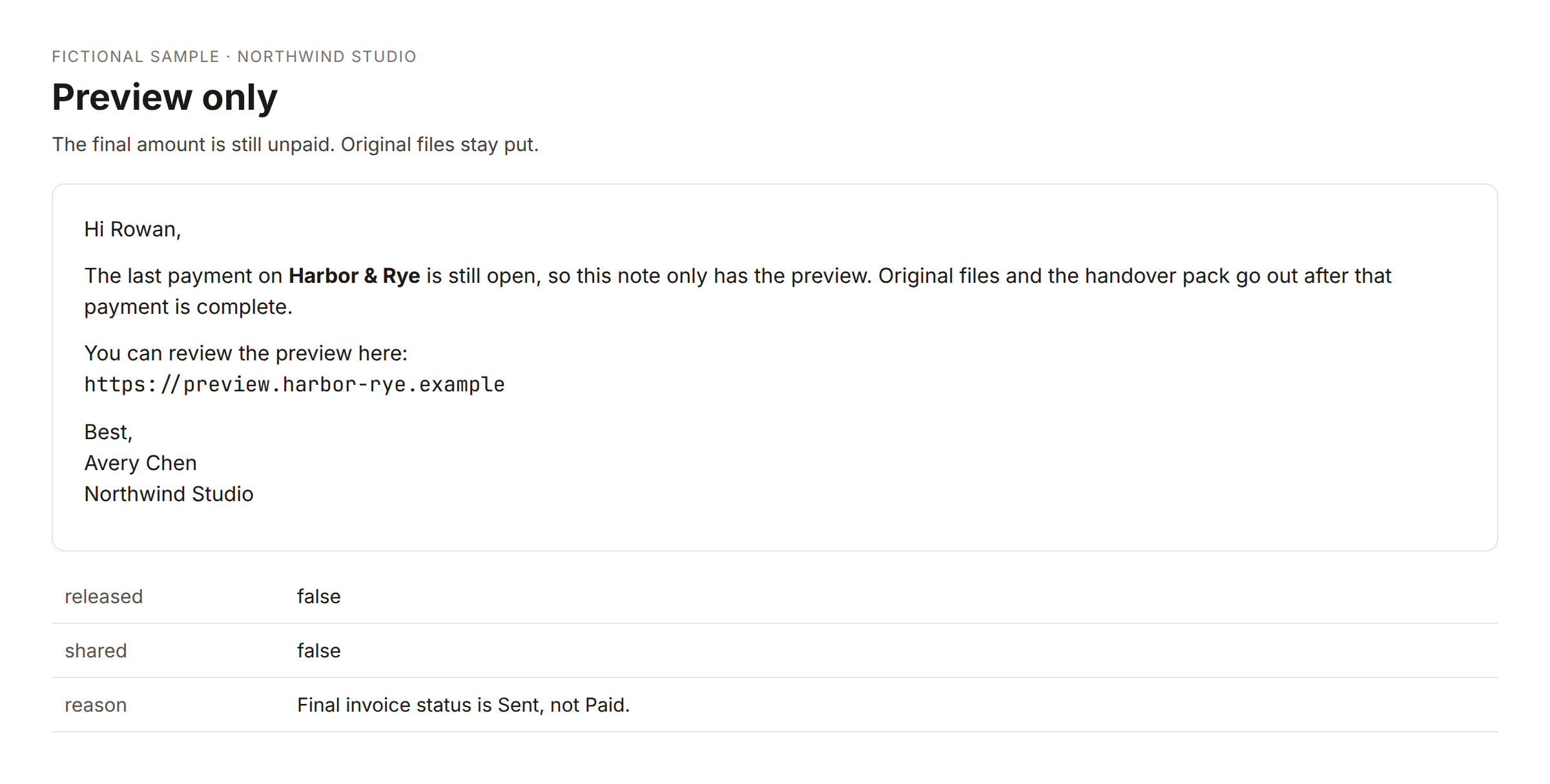
The sample above is fictional. Harbor & Rye is not a client. The shape is the point: the note contains the preview, says the originals wait, and does not threaten anyone.
What you send for the money
The email the client pays from should name the project, the milestone, the amount, the currency, and the due date. The button should be a pay link for that amount.
If you use Stripe for this, use a payment link created for that one charge. A payment link is not a Stripe invoice. There is no hosted invoice page, and the event you wait for is the checkout completing, not an invoice being marked paid inside Stripe's invoicing product. The word "invoice" on your side can still be the row in your sheet: an id, a status, a due date, and the link. Keep those words straight when you write the help text, or you will look for a PDF that the workflow never created.
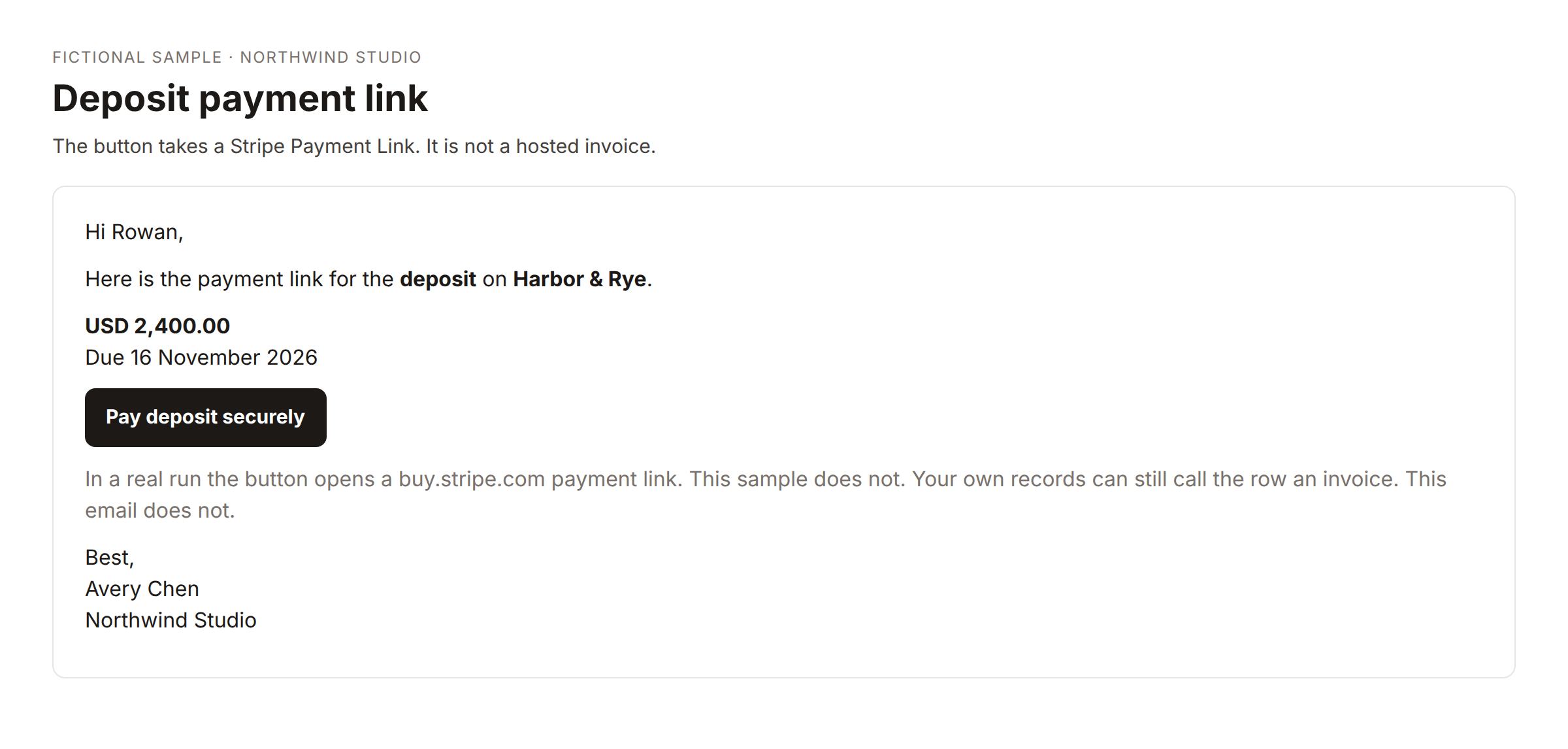
The sample is the deposit. The button says "Pay deposit securely." The sentence around it calls the button a payment link. Your sheet row can still be named an invoice. The button should not, or the client will look for a hosted invoice page that this setup never creates.
Deposit rows can be due in a few days. Later rows can be due in a week. Pick the numbers once and use them every time. A due date that moves because you were busy is how reminders fire on the wrong day.
When the checkout completes, mark that row paid and store the checkout id. If the row is the last milestone, that is the moment the originals are allowed to move. If it is only the deposit, do not release the handover. The project is not done.
Hold, then release
The gate in front of the handover email only needs a few facts: which project, whether the final row is paid, and where the originals folder is.
If the final row is not paid, send the preview email once, tell yourself in your own channel, and store a held row with the handover details you would have sent. Do not send the preview again every time someone clicks the button. One explanation is polite. Five is a chase.
If the final row is paid, share the originals folder with the client as a reader when you actually have a folder id. Then send the handover pack: live URL, how to edit, how long bug fixes are covered, and the domain notes. If the folder id is empty, do not call the share anyway. Skipping it should be visible in the result, in plain language, so you notice the missing folder instead of reading a red error and assuming the files went out.
An empty share is a different problem from an unpaid invoice. Fix the folder, then share. Do not treat a Drive error as proof the client received anything.
Reminders without a new personality
Some finals will sit past the due date. The reminder can be boring.
A few days before the date, one short note with the same link. On the day after, another, still the same link. A week later, a firmer note. Two weeks later, you can say that original files stay on hold, and you can mention a late fee if the contract already allows one. The pay button should still charge the original amount unless you deliberately create a new link. Do not silently change what the button charges.
Three weeks later, stop emailing. Write yourself a note to call. Mark the collection paused so the ladder does not keep firing. If you also track the project on a studio sheet, you can mark that project paused too. None of those notes need legal threats. The hold on the files is the consequence you already described.
Each open invoice gets its own email. If a client owes a deposit on one job and a final on another, those are two amounts and two links. One combined message hides which button pays which job.
The free template that only drafts overdue reminders is a smaller version of the ladder. It does not take payment and it does not hold files. It is a reasonable place to start if you are still sending reminders by hand and you want to see the drafts before anything is automatic. The pack that creates the payment link and the gate is the later step, after the sheet columns and the Stripe key are real. When that site is up, the pack is Billing & Payments pack.
What stays manual
You still decide the project total and the schedule. You still notice when a client asks to split the final into two more invoices. You still confirm the Drive folder is the right one before launch day. A workflow that shares "the folder on the project" will share the wrong folder if you pasted the wrong id.
You still read the handover email once in a while. Automation should not mean you never look.
If you bill outside Stripe, paste the other pay URL onto the row before the email is sent, or send that email yourself. Do not leave a broken button up because the workflow assumed Stripe.
A week you can rehearse
Use a fake project with a fake email address you control. Create the deposit row. Pay it in test mode, or mark it paid the way your tool records a completed checkout. Confirm the handover does not go out. Create the final row. Leave it unpaid and run the gate. You should get the preview note and a held record. Pay the final. The originals share should run only if the folder id is present, and the handover email should be allowed after that.
Then break it on purpose. Remove the folder id and run the paid path again. You want a clear skip, not a bad request you have to interpret. Put the folder id back. That rehearsal is the whole system. After it works on the fake project, use it on the next real final.
Community version
I kept handing over working files on the same day the site looked done, and then waiting on the last invoice. The fix that actually stuck was splitting "preview" from "originals."
The client can have the preview while the last milestone is open. The Drive folder of exports and licenses waits until that row is paid. I say that in the proposal, then the preview email repeats it in one paragraph, without legal language.
The pay button is a payment link for that amount, not a hosted invoice page. When checkout completes I mark the row paid. If it is the final row, the folder share is allowed. If I forgot the folder id, the share is skipped and the result says so. I would rather see that sentence than a swallowed error.
Reminders stay on the same link: a note before the due date, then day 1, day 7, and day 14. Day 21 is a note to myself to call, and the ladder stops. Two open invoices means two emails.
I rehearsed it on a fake project before I used it on a client. The interesting failure was the empty folder, not the unpaid invoice.
The pay link is for that one amount. I do not go looking for a hosted invoice PDF, because this setup never creates one. The sheet row is the invoice. Stripe's checkout is just how it gets marked paid.